
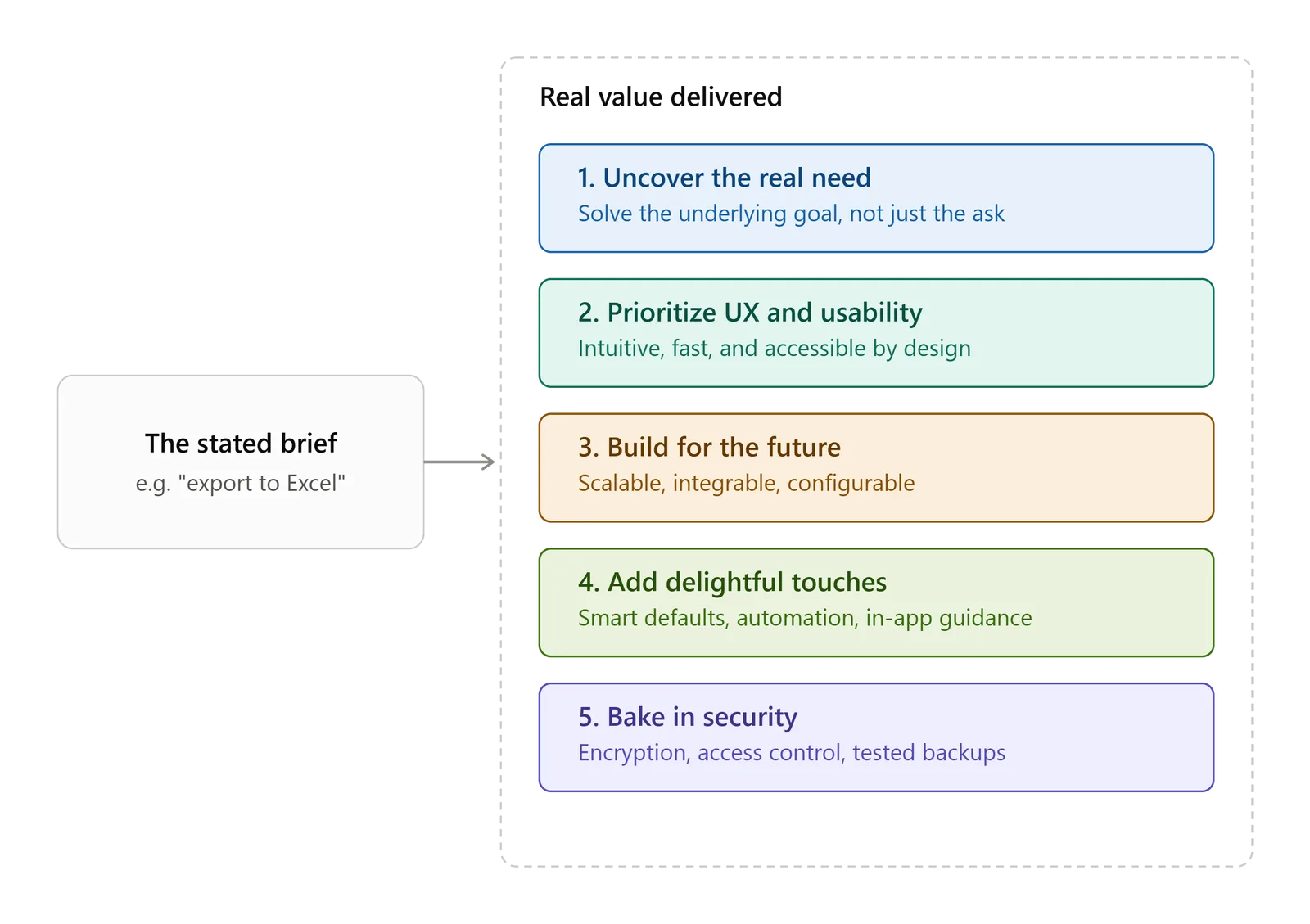
Delivering value to a customer's requirement isn't just about checking the box on what was asked for. It means digging into the underlying problem, thinking ahead to future needs, and delivering something that performs well and feels good to use. Here are the key ways to do that.
1. Get to the Root "Why"
Don't just take a requirement at face value — ask why the customer actually needs it. That question usually uncovers the real business problem or goal behind the ask.
Example: If the stated requirement is "we need an export-to-Excel button," the real need underneath it might be "we need a flexible way to analyze sales data and spot trends."
Where the value comes in: Instead of just building the export button, propose a built-in reporting or analytics dashboard that delivers real-time insights inside the application itself — cutting down on the manual work of exporting and analyzing data separately.
2. Make User Experience and Usability a Priority
A powerful solution that's hard to use isn't actually delivering much value. Strong UX is what turns raw functionality into something people actually benefit from.
Intuitive design: Make the solution easy to navigate with little to no training required. That saves the customer both time and support costs down the line.
Performance: Build something fast, reliable, and able to scale. A sluggish application kills productivity, no matter how good the underlying features are.
Accessibility: Make sure the software works for people with disabilities. This extends its usefulness to more users and shows a genuine commitment to inclusive design.
3. Solve Problems Before They Happen and Build for the Future
Think ahead to where the customer's needs are heading, and build in the flexibility to get there.
Scalability: Design the architecture so it can handle growth — more users, more data, more transactions — without needing to be rebuilt from scratch later.
Room to integrate: Build with well-documented APIs or standard data formats so the solution can connect easily with other tools the customer uses now or might adopt later, like a CRM, ERP, or accounting platform.
Configuration instead of custom code: Wherever possible, make features configurable — custom fields, adjustable workflows — so the customer or their admin can make changes themselves without needing a developer every time. That gives them more control and speed.
4. Build in Moments of "Delight"
These are the smaller, unexpected touches that make a user's day-to-day noticeably easier. They don't need to be big, but they leave a strong impression.
Smart defaults: Pre-fill forms and settings based on a user's history or common patterns.
Automation: Take tedious, repetitive tasks off the user's plate. For instance, if someone uploads an invoice, automatically pull the key data using OCR instead of making them enter it manually.
In-app guidance: Offer contextual help or short video walkthroughs right at the point where a user is tackling something complex.
A chatbot is another feature worth considering — it can answer common product questions or log support tickets directly, taking pressure off the support team.
5. Build In Risk Mitigation and Security 🛡️
A secure, resilient solution protects the customer's business and their assets — and that protection is itself a major source of value.
Top-tier security: Put strong safeguards in place — encryption, role-based access control, regular penetration testing — to keep sensitive data protected.
Dependable backup and recovery: Have a tested disaster recovery plan and reliable backup procedures ready, so downtime stays minimal if something does go wrong.
Focusing on these five areas is what turns a simple feature request into a genuinely valuable business asset — one that drives efficiency, supports growth, and builds lasting satisfaction for the customer.